Open the official Login page
Go directly to aqjl.app/login or select Login from the site footer. Confirm that the address belongs to aqjl before entering account information.
Welcome back, kabayan. The aqjl Login gives registered players a simple way to reach their account, check their balance, review recent activity, manage payment details, and continue playing. Enter the Philippine mobile number or email address connected to your aqjl account, then provide your password.
Always open the aqjl Login directly on aqjl.app. Check the address before typing your details, especially when using a shared device or public Wi-Fi. aqjl will never ask you to send your complete password through chat, text message, or email.
Use the same details you provided when you created your account.
The aqjl Login is the main entry point for existing members. You can use the Philippine mobile number registered to your account or your verified email address. If you normally deposit through GCash or Maya, your account may use the same mobile number, but you should still confirm which number you entered during registration.
After a successful Login, your account dashboard displays the tools available to you. These may include your current PHP balance, deposit and withdrawal records, active bonuses, game history, sports wagers, account verification status, and responsible gaming settings. Keeping this information in one dashboard makes it easier to understand what is happening in your account.
For a smoother aqjl Login, use an updated browser and a stable internet connection. Avoid opening several Login tabs at the same time because multiple sessions may trigger an additional security check. If the page has been left open for a long period, refresh it before entering your password.
Your Login details are personal. Do not let another person use your aqjl account, even if that person is a friend or relative. Shared access can create problems with identity verification, payments, withdrawals, bonus eligibility, and responsible gaming restrictions. One member should control one account.

Follow these practical steps whenever you return to aqjl. The same process works on most modern mobile phones, tablets, laptops, and desktop computers.
Go directly to aqjl.app/login or select Login from the site footer. Confirm that the address belongs to aqjl before entering account information.
Type the Philippine mobile number or email used during registration. Check for extra spaces and typing errors before continuing with the aqjl Login.
Enter the password you created for aqjl. Use the Show button only when nobody else can see your screen, then hide the password again before submitting.
After Login, check your balance and recent account activity. If anything looks unfamiliar, stop playing and contact aqjl support at support@aqjl.app.
A successful Login opens your personal account area. Here are three useful parts of the experience for players in the Philippines.
Check your available balance and review deposits or withdrawal requests in Philippine pesos. Depending on account availability, supported options may include GCash, Maya, GrabPay, Coins.ph, InstaPay or PESONet bank transfer, BDO, BPI, UnionBank, Visa, and Mastercard.
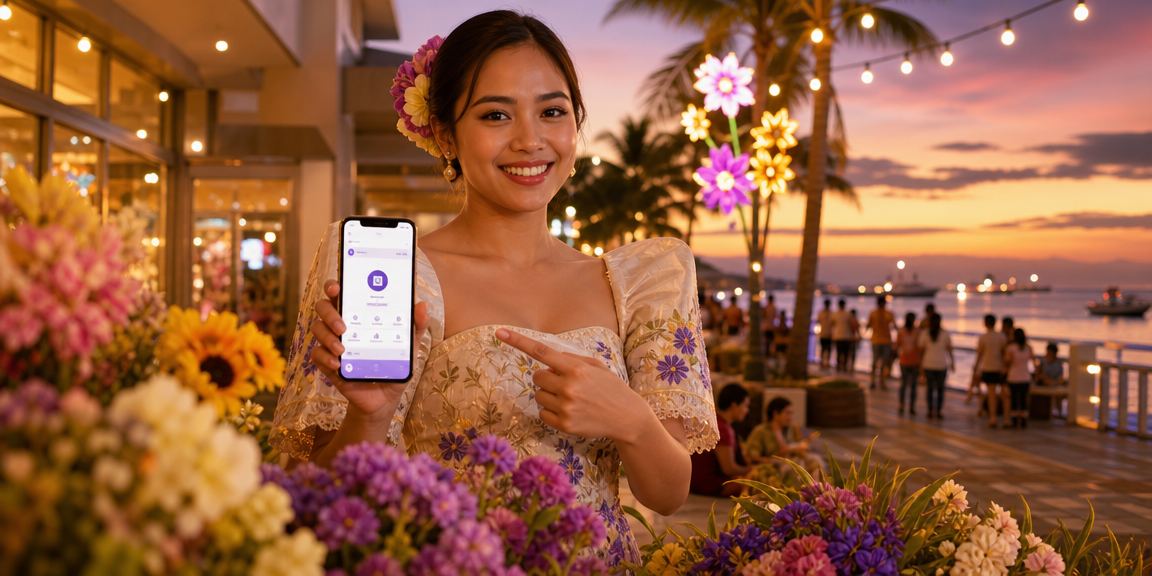
Use the aqjl Login to reach JILI Slots, Tongits, card games, live casino tables, football markets, NBA betting, and basketball betting. Availability can vary, so review the account lobby and current game information after signing in.

Review your records and use the responsible gaming options connected to your account. Setting a budget, checking session time, and taking a break when play stops being enjoyable are sensible habits for every aqjl member.
Account security starts with a password that is difficult for other people to guess. Avoid names, birthdays, mobile numbers, repeated characters, and passwords already used for email, social media, online banking, GCash, or Maya. A longer password containing varied characters is usually safer.
Do not save the aqjl Login password on a computer at an internet café, workplace, school, hotel, or shared household. The Remember option is intended only for a private device that you control. Always sign out after using a borrowed phone or computer.
Be careful with messages that promise a guaranteed bonus, instant prize, or special Login shortcut. A fraudulent message may imitate a gaming brand to obtain passwords or payment credentials. Access the official page yourself rather than trusting an unexpected message.
If your phone is lost, your email is compromised, or you notice an unrecognised session, contact support promptly. Include your registered name and mobile number, but never include your password. Support may ask for identity checks before making changes to protect the account owner.
Use aqjl.app/login and confirm the page address before every Login attempt.
Create a password used only for aqjl and avoid sharing it with anyone.
Do not disclose an OTP, GCash MPIN, Maya PIN, or banking security code.
After Login, look for unfamiliar payments, wagers, or account changes.
A failed Login is often caused by a small typing issue. First, confirm that your mobile number is entered in the expected Philippine format and that your email contains no spaces. Passwords are case-sensitive, so check capital letters and make sure your device has not inserted an unwanted character.
If you recently changed your password, close older aqjl tabs and use the new password in a fresh browser window. Clearing old site data may also help when an expired session keeps returning you to the Login screen. Only clear saved data if you know your current credentials.
Repeated incorrect attempts may temporarily restrict the aqjl Login to protect your account. Do not continue guessing. Wait before trying again and contact support@aqjl.app if you cannot remember the correct details. Support may verify your identity before helping you regain access.
A weak internet connection can interrupt account authentication. Switch between mobile data and a trusted home connection, then reload the Login page. Avoid free public Wi-Fi for payments or account changes because other people may be able to observe activity on an unsecured network.
If the aqjl Login works but your wallet or account history does not look correct, do not submit the same payment repeatedly. Note the transaction reference, amount in PHP, payment method, and approximate time, then contact support. Keeping clear records helps the account team review the matter efficiently.
The aqjl Login should lead to entertainment, not financial pressure. Decide how much time and money you can comfortably spend before starting a session. Gaming funds should never come from rent, tuition, groceries, medicine, loan payments, utilities, or money needed by your family.
Check your account records after Login and pay attention to your total deposits, withdrawals, and playing time. A winning session does not guarantee another win, and a loss does not become more likely to reverse simply because you continue. Chasing losses usually creates more stress.
Take a break if you feel irritated, distracted, secretive, or tempted to spend beyond your limit. You can read the aqjl Responsible Gaming page for guidance on warning signs and account controls. Asking for help early is a practical decision, not something to be embarrassed about.
Only people aged 21 or above may register and use aqjl. Adults should keep their Login credentials away from children and should not leave an authenticated account open on a shared phone. Enabling a device screen lock adds another layer of protection.
These answers cover common Login concerns raised by Filipino members.
Use the Philippine mobile number or verified email address connected to your account, together with your current password. Enter the same information used during registration unless you have updated it through the account process.
Check the spelling of your email, the format of your mobile number, and the capitalisation of your password. Too many unsuccessful attempts may cause a temporary restriction. Stop guessing and contact support@aqjl.app if you cannot confirm your details.
Use the Remember option only on a personal device secured with a PIN, password, fingerprint, or face lock. Never remember the Login on a public, borrowed, work, school, or shared household device.
No. Your GCash MPIN, Maya PIN, online banking password, card PIN, and one-time payment codes must remain private. Do not provide them through the aqjl Login, email, chat, or any message claiming to offer account assistance.
No. Account access is intended only for the registered member. Sharing a Login may create security, identity verification, payment, bonus, and responsible gaming problems. Keep your credentials confidential.
Stop account activity, change your password if access is still available, and contact support@aqjl.app. Review payments, wagers, and account changes, then provide support with relevant times and transaction references without sharing your password.
Use the official aqjl Login to review your account and continue when you are ready. New players aged 21 or above may create an account, while existing members can return to the Login form.